MCP Server Discovery  

Wallarm's API Discovery detects Model Context Protocol (MCP) servers in your traffic, captures their primitive inventory, and displays them in the API inventory alongside your REST, GraphQL, SOAP, and gRPC endpoints.
Enabling MCP discovery
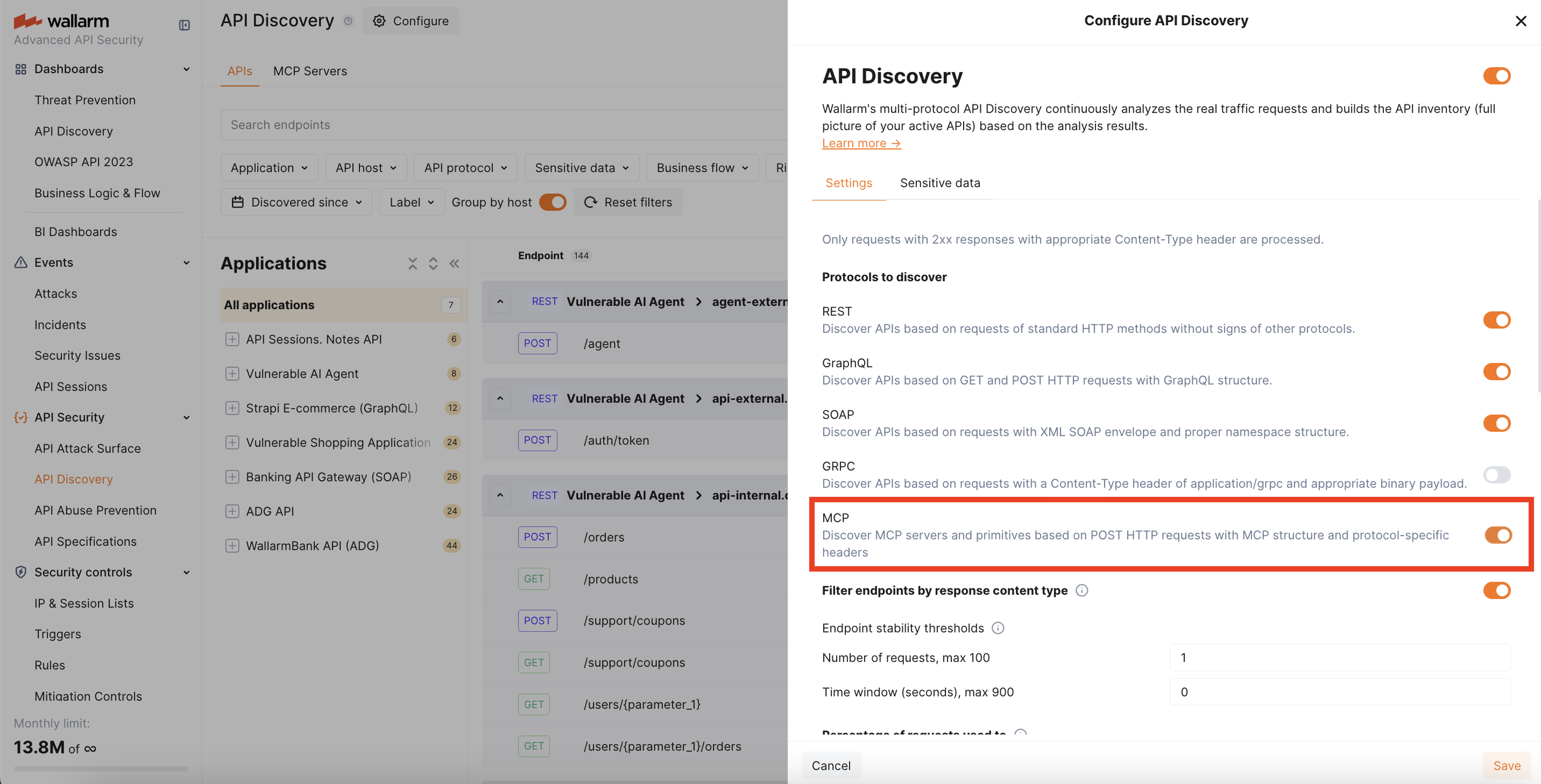
MCP discovery is disabled by default. To enable it, select the MCP protocol in API Discovery → Configure → Settings (see API Discovery Setup).
Requirements
-
The Advanced API Security subscription plan
-
NGINX Node 6.12.0-rc1 or higher, or Native Node 0.25.0-rc1 or higher
How MCP detection works
The Wallarm node identifies MCP traffic by detecting JSON-RPC 2.0 requests with MCP-specific methods combined with the MCP-Protocol-Version header — a standard MCP protocol header sent by all MCP clients. Once detected, the endpoint is added to the API inventory with the MCP protocol label.
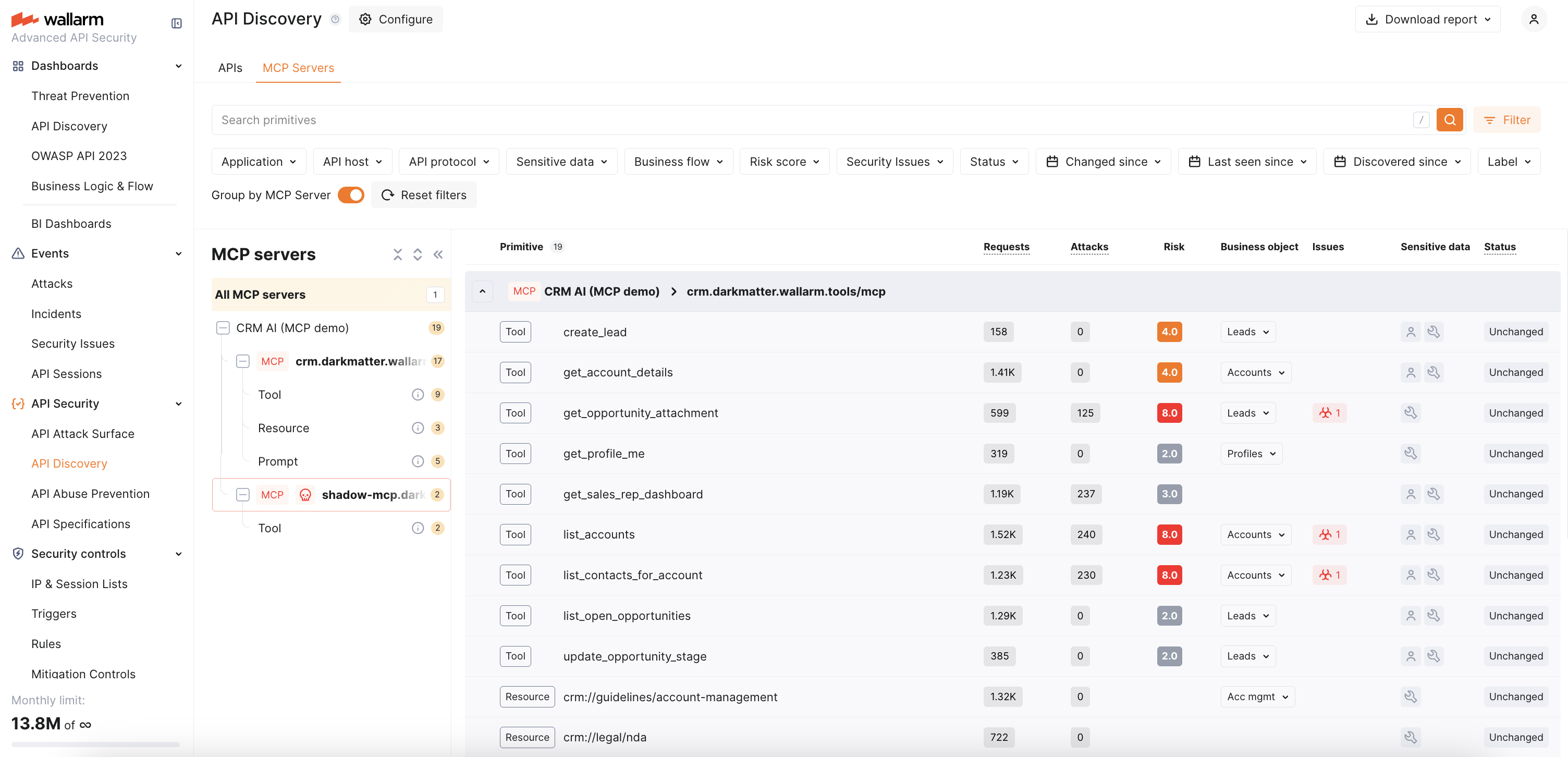
The node automatically enables 100% response parsing for discovered MCP endpoints to ensure complete schema capture. The captured tool schema is uploaded to the Wallarm Cloud.
Discovered primitives
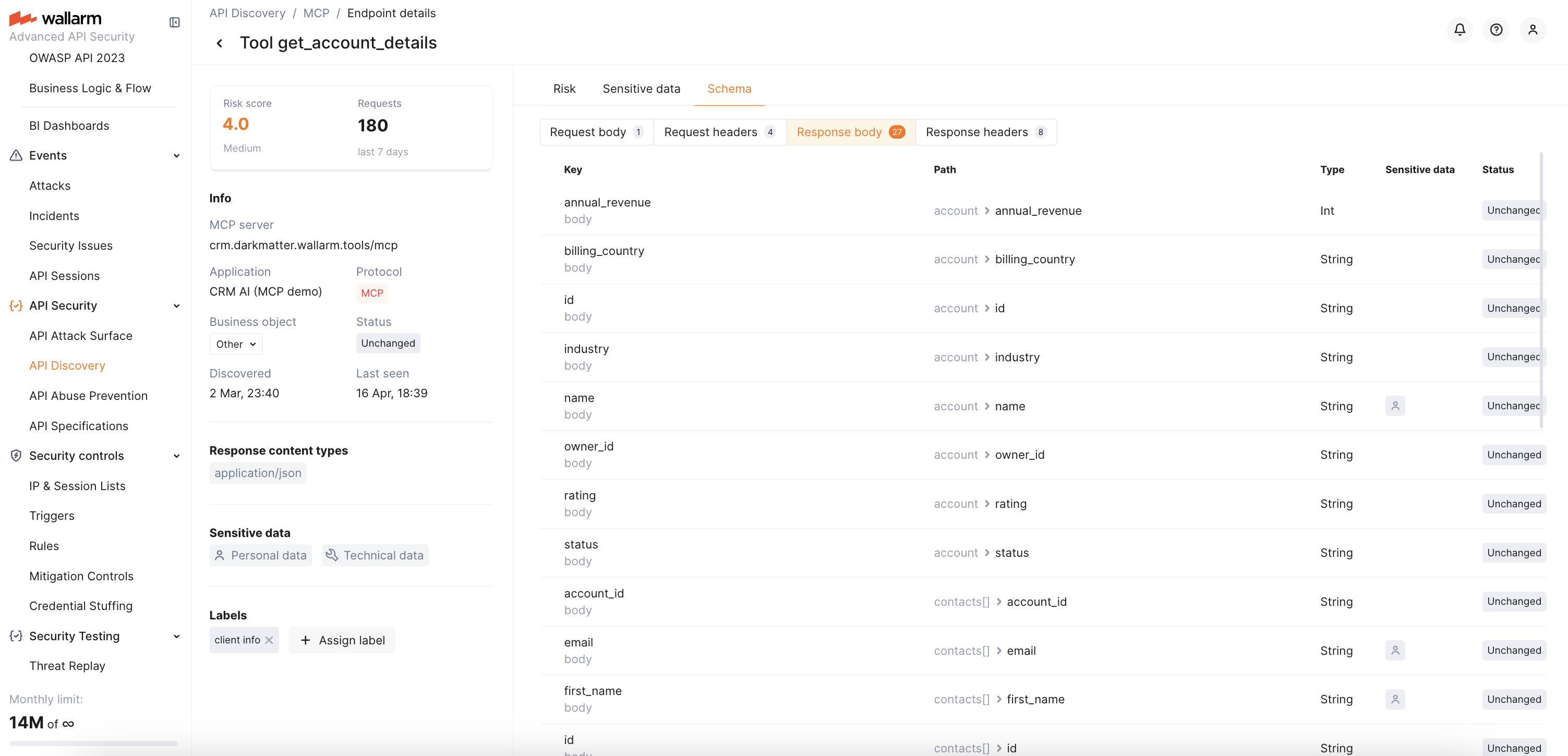
For each discovered MCP server, Wallarm captures three MCP primitive types from tools/list, resources/list, and prompts/list responses:
-
Tools — invocable functions exposed by the MCP server (e.g.,
get_user_profile,create_lead) -
Resources — data and files available for reading (e.g.,
crm://legal/nda) -
Prompts — parametrized templates for common workflows (e.g.,
account_research_prompt)
For each discovered MCP server, the API Discovery UI displays:
-
MCP server version
-
Primitive name and description
-
Tool parameter types and descriptions (in the Schema tab)
-
Resource MIME types
-
Request counters for the last 7 days
See Exploring API Inventory → MCP primitive details for more information on what is displayed for each primitive type.
Using discovered MCP servers for protection
Discovered MCP servers can be used as a scope when creating MCP mitigation controls — ACL policies, request verification rules, and tool input schema enforcement. When you create a mitigation control, the MCP server URI and primitives offer autocomplete suggestions based on API Discovery data.
Auto-created MCP Session Configuration
When an MCP server is discovered, Wallarm automatically creates an MCP Session Configuration for it with default session identification rules (extracting session ID from the Mcp-Session-Id header). This enables MCP Sessions — grouping MCP requests into logical sessions visible in the MCP Sessions tab.
You can customize the auto-created session configuration to extract additional parameters such as user identity and role. See MCP Session Configuration for details.